Who Watches the Agents? Why VibeConsole Became a Native Mac App
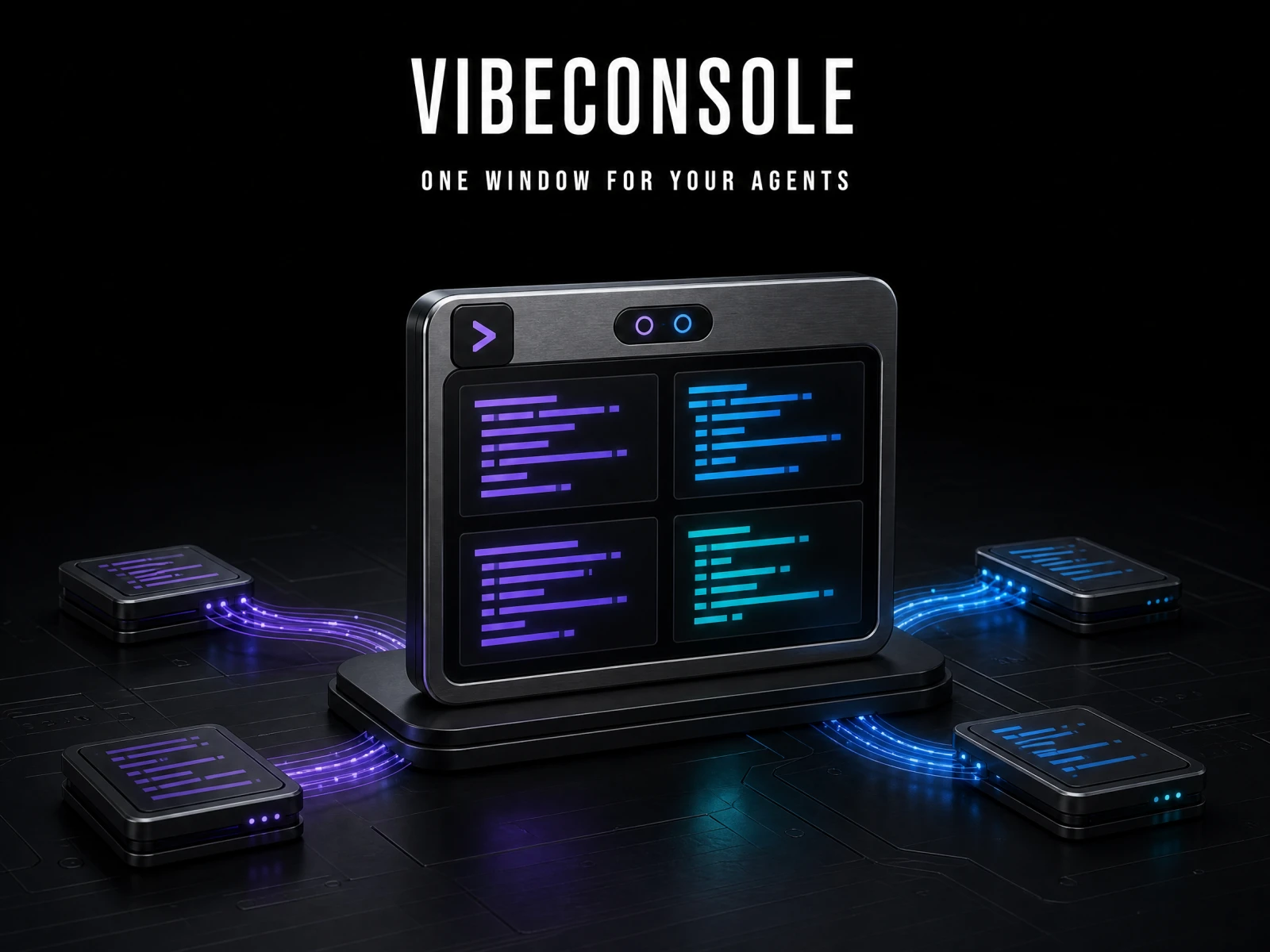
The agent finished ten minutes ago
Coding agents such as Claude Code and Codex CLI run in your terminal. They read the repository, edit files, and run tests, often for several minutes without you. That is the point: you hand over a task and move on.
Moving on usually means another terminal. A dev server, a test watcher, a second agent. When the first agent stops, it stops quietly. It may be done, or it may have been waiting since minute two for you to approve an edit. Every window is titled zsh, so nothing on screen tells you which.
I built VibeConsole, a macOS app, for that situation. This article covers what gets harder when several agents run at once, how VibeConsole handles it, and why an open-source Electron project became a paid app rewritten in native Swift.
Terminals know shells, not agents
iTerm2, Ghostty, and tmux are excellent at running shells. To them, an agent editing your project and an npm run dev process are the same thing: text in a tab. With one agent, that works. With three, you track everything yourself: which session needs you, which files changed, what failed, and how much of your usage window is left.
This matches the research on CLI agents I looked at earlier. Agents raise output, but review does not scale at the same rate. On one developer’s desk, the bottleneck is tracking, not typing.
What VibeConsole does
VibeConsole is not a code editor. It is a workspace built around the terminal. It launches eight agent CLIs you already have installed, including Claude Code, Codex, Gemini CLI, and GitHub Copilot CLI, and provides no model or account of its own.
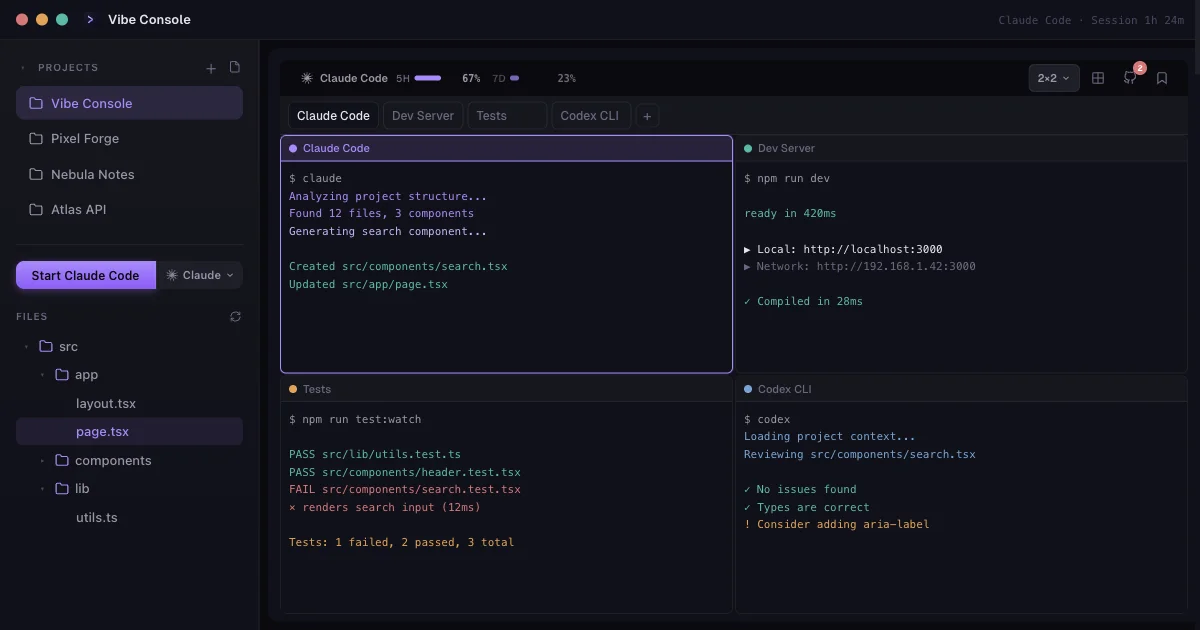
- Terminals per project: up to 10, as tabs or a grid up to 3×3. Switching projects switches terminals, file tree, and Git state together.
- Agent status: each tab shows whether its agent is running. When an agent finishes or waits for input, a sound plays and the session opens in a notch panel at the screen edge.
- Source Control: diffs, commits, branches, and worktrees next to the agents. It makes changes visible; the review is still yours.
- Usage limits: remaining usage and reset times for Claude Code and Codex, with alerts at 80% and 100%.
The notch that forced a rewrite
VibeConsole started in February 2026 as an open-source Electron app. The notch exposed Electron’s limits: a window that had to be transparent painted an opaque backing, and opening or closing it moved keyboard focus, so keystrokes could land in the wrong terminal. In a terminal app, that is not a cosmetic bug.
Rewriting the notch in Swift fixed it, and the rest of the app followed. Since version 1.16, released on September 23, 2026, VibeConsole is a native app written with SwiftUI and AppKit.
VibeConsole as a product
With the rewrite, I closed the source and started selling the app. It has a 14-day free trial, then a one-time $29 license that covers three Macs and every version released in the first year. It requires macOS 15 or later.
It ships as a signed DMG rather than through the Mac App Store, because the App Store sandbox does not allow what a terminal has to do. VibeConsole collects no telemetry; the agents inside it still send your code to their providers as usual.
Who it is for
If you run several agents across several projects, VibeConsole puts the tracking in one window; most of it was built that way. If you run one agent, use Windows or Linux, or need usage tracking beyond Claude Code and Codex, your current terminal is enough.
You are still the one watching the agents. VibeConsole only puts what needs your attention in one place. Before deciding, count two things for a day: how often you search for the right terminal, and how often you return late to an agent waiting for approval. If those numbers are high, run the 14-day trial against the same count.
Sources
Current as of September 24, 2026.
About the Author

Enes Kaymaz
Enes Kaymaz
Designs, writes code, and occasionally turns the two into a product.
Read More About Me →Related Posts
View All →
10 Interactive Three.js Sites Worth Exploring
Explore ten Three.js projects, from a city you can fly through to a paper character you can print, with live links and recordings of how each one works.
Read More →
TanStack Query Prefetching: Start the Request Before Navigation
Prefetching does not make an API faster; it starts likely future work earlier. This practical TanStack Query v5 guide covers query keys, freshness, request waterfalls, router and SSR choices, and how to measure the tradeoff.
Read More →Subscribe to my newsletter
Get the latest updates on design, development, and tech trends.